


Subtotal $0.00


As global regulations change, your organization must have the skills and know-how to achieve sustained competitive advantage. EHA Soft professional services team can help. We offer practical experience and knowledge to help accelerate you reduce risk and ensure product and employee safety.
National Software Campus, Mahon, Blackrock, Cork, Ireland T12 XY2N

Instruction
This help guide provides step-by-step instructions for accessing, navigating, and completing courses in the Learning Management System (LMS). Follow these steps to ensure a smooth learning experience.
Step 1: Accessing the LMS
There are two ways to log in to the LMS:
Method 1: Through the mai™ contractor Portal
Note: This option will only appear if your company admin has granted you “LMS
Access” permissions.
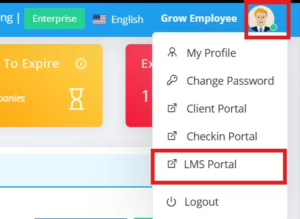
4. Click on “LMS Portal” to proceed to the LMS dashboard.
Method 2: Direct Login
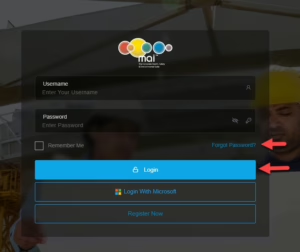
Note: Please use your dedicated username and password to login only and DO NOT use the “Register Now” button.
4. Alternatively, click on the “Login with CP3″ to be redirected directly to the LMS dashboard.
Upon successful login, you will land on the LMS dashboard by default.
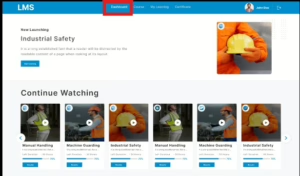
Step 2: Starting of a Course
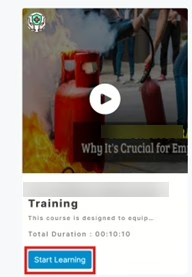 3. A Terms and Conditions screen will appear. Read them carefully.
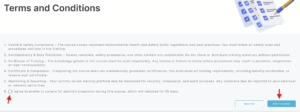
4. Check the “I Agree” box and click on the “Start Course”.
5. A pop-up will prompt you to capture your photo. This photo will appear on your course certificate.
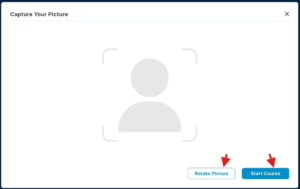
6. Once the photo is captured, the course will begin.
Step 3: Attending of the course
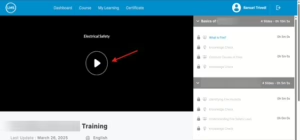
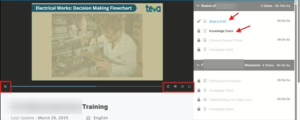
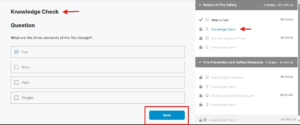
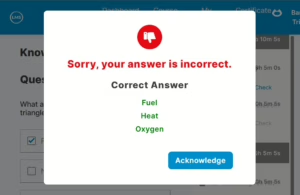
4. At the end of the course, you will have to proceed with an Assessment Test (QUIZ).
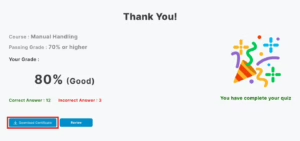
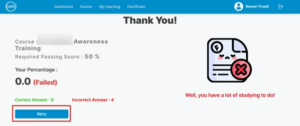
Step 4: Downloading Your Certificate
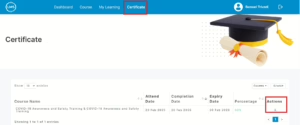
2. The certificate will automatically pass to the mai™ contractor Portal under the Induction tab of Employee.
3. Click the download button to save the certificate in your device.
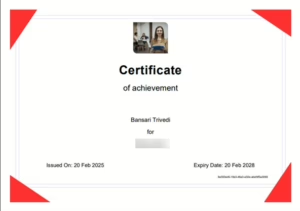
4. The certificate will include:
** If you encounter any issues, contact your LMS administrator for assistance or contact our support team (contact@sheqportal.ie or contractors@ehasoft.com).
